BFF Messenger - Private Chat
- 4.5
- Rating
- 1.00M
- Installs
- Free
- Price

 Analysis by App-foxy
I approached BFF Messenger as someone looking for a straightforward way to stay in touch, not as someone trying to replace every communication tool on a phone. Its focus is private chat and calling, and that narrow purpose is part of its appeal. The app feels aimed at people who want a dedicated place for conversations with friends and family rather than a crowded social network filled with public posts, recommendations, and distractions.
It is a free communication app from BFFMSG.COM, available for users aged Everyone. The current release is version 1.16.0, and it runs on Android 8.0 or later. The app has passed the one-million-install mark and holds a 4.5 average from roughly 1.6 thousand ratings, which suggests that its basic idea is connecting with a meaningful audience. I still think the right question is not whether it is popular, but whether its simpler approach matches the way you communicate.
What the first conversation feels like
My first impression was that BFF Messenger is easier to understand when I treat it as a private communication space instead of a full social platform. The useful path is short: get the app, complete the initial setup, find the person I want to contact, and move from text to a call when the conversation needs more warmth or speed. That makes it approachable for someone who does not want to learn a complicated system before sending a message.
You May Also Like

 Blood Strike: 2.5 Anniversary
Blood Strike’s Loadouts Turn Every Drop Into a Tactical Gamble
A close look at Blood Strike’s custom loadouts: how fast access to signature weapons reshapes its battle royale rhythm, rewards preparation, and narrows the gap between fights.

 Pandora - Music & Podcasts
Pandora’s Music Is Easy to Start, but Harder to Recover
Pandora’s strength is its low-effort path from a seed to a station. Its weak spot is how much confidence it asks you to place in connection, setup, and quiet recovery.

 8 Ball Pool
 Is Built on Rivalries, Rematches, and Routine
A close look at the rivalries, rematches, shared routines, and unanswered safety questions that turn a quick pool match into a persistent mobile community.

 Samsung Music
’s Quiet Strength Is Playing What You Already Own
Its reach comes less from spectacle than from dependable access to a personal library. That simplicity is both the app’s strongest retention engine and its ceiling.

 AccuWeather: Weather Radar
AccuWeather Review: A Quick, Clear Forecast for Everyday Decisions
For everyday plans, the best forecast is the one you can understand quickly. AccuWeather makes rain timing, radar, and local conditions easy to act on, with a few trade-offs.

 Hill Climb Racing
Why Hill Climb Racing Still Turns Crashes Into One More Run
A tiny car, a bumpy hill and one more upgrade: Hill Climb Racing keeps resurfacing because its simple chaos makes every near-miss feel personal.
More From Our News Desk



The store summary describes it as secure and reliable messaging and calling. I would read that as the app’s central promise, not as a reason to assume that every privacy or reliability detail is identical to those of established alternatives. For sensitive conversations, I would still check the app’s current privacy information and make sure the person I am contacting uses the same service. A communication app is only useful when both sides can actually receive and answer messages.
The best fit is someone who wants a dedicated messenger for personal conversations. It can also make sense for families who prefer keeping everyday chats separate from work notifications, or for friends who want to move from text to voice without opening another communication service. On the other hand, I would hesitate to recommend it as the only messenger for a group spread across several platforms. The practical value of any chat app depends heavily on where your contacts already are.
Compared with a typical social network, the experience is more focused because the point is direct contact rather than browsing a feed. Compared with a mature all-purpose messenger, the trade-off is familiarity: your contacts may already be organized elsewhere, and they may not want to install another app. BFF Messenger therefore works best when you choose it together with the people you actually talk to, rather than installing it alone and expecting it to rebuild your entire contact list.
Getting through the initial setup
I recommend beginning with one person in mind. Before exploring every screen, decide who you want to message first. That small decision prevents the common first-time mistake of treating the app like a catalogue of options. The goal is not to configure an elaborate profile; it is to reach a real conversation quickly and learn the layout through use.
During setup, read each prompt rather than tapping through automatically. A messaging app may ask for access that affects contact discovery, notifications, calling, or other parts of the experience. I prefer granting only what makes sense for the action I am trying to perform. If I want to locate friends already using the service, contact-related access may be useful; if I am only looking around, I can take a moment to understand the request first.
Notifications deserve particular attention. If messages and calls are important, notification access and the phone’s battery settings can affect whether alerts arrive promptly. I would check both the app’s notification controls and the operating system’s settings, especially on a phone that aggressively limits background activity. This is a practical step that is easy to overlook and can make a reliable conversation feel unreliable.
Another useful habit is to confirm the identity of the person before sending anything personal. Names and profile details can be easy to confuse, particularly when several contacts share a first name. I would start with a simple greeting, verify that the reply is from the intended person, and only then move into private details. That is good communication hygiene regardless of which messenger I use.
The app is free, so there is no purchase decision blocking the first conversation. That makes testing it with a friend uncomplicated. Still, free access does not remove the need to think about data usage, notification behavior, and whether your regular contacts are willing to join you. Those practical questions matter more than the download itself.
Reaching the first meaningful success
The first successful action should be a complete exchange, not merely opening the app. I would send a short message such as an invitation to test the service, wait for a reply, and then try a call if the other person is available. This sequence checks the parts that matter in daily life: finding the right contact, sending a message, receiving a response, and changing communication mode without losing the thread.
A realistic example would be arranging a pickup after work. I might send a quick text while leaving the office, receive a reply with a changed meeting point, and start a call when typing becomes inconvenient. In that situation, BFF Messenger is useful because messaging handles the written detail while calling handles the uncertainty. The app earns its place when both actions feel like parts of one conversation rather than separate tasks.
For a family, the first test could be even simpler: ask one relative to reply when they see the message, then make a short call. This reveals whether notifications are arriving, whether the contact understands the interface, and whether the phone’s audio behavior is suitable. Testing with someone patient is better than discovering a problem during an urgent conversation.
I also recommend sending a message that requires a real answer instead of a generic greeting. Asking, “Are you free for a quick call?” provides a clear test of delivery and response. It also teaches the other person what the app is for. Once that exchange works, you can decide whether it deserves a regular place on your phone.
For people moving from another messenger, I would not switch every conversation on the first day. Choose one chat that is active but not critical, use BFF Messenger for it, and observe how naturally both people adapt. This staged approach reduces frustration and exposes practical issues without putting an important appointment or family emergency at risk.
Where new users can get confused
The most likely confusion is assuming that installing the app automatically makes all existing contacts reachable. In practice, the person you want to contact needs to be identifiable within the service and ready to use it. If a friend does not appear immediately, I would first confirm that we are using matching contact details and that the friend has completed setup. I would not interpret a missing contact as proof that the app is broken.
A second point is the difference between a message being sent and a conversation being completed. A quiet screen may mean the other person has not opened the app, has notifications disabled, or is simply unavailable. I try not to resend the same message repeatedly. Instead, I use another agreed channel once to confirm that the person knows where to find the conversation.
Calls can create a different kind of uncertainty. A failed or unanswered call does not necessarily tell me whether the problem is the network, the recipient’s phone, notification settings, or availability. For important communication, I send a short text first so the recipient knows why I am calling. That small workflow is more dependable than repeatedly pressing the call control and hoping the next attempt behaves differently.
Privacy expectations can also be misunderstood. The word “private” may describe the intended audience of a conversation, but it should not encourage careless sharing of passwords, financial details, or highly sensitive documents. I use the app for ordinary personal coordination and conversations, while applying the same caution I would use in any online service. Reading the current privacy and security information is worthwhile before making it a home for confidential material.
People switching from a larger messenger may look for features that are not central to this experience, such as a broad social feed, a huge public community, or an extensive collection of extras. That difference is not automatically a weakness. It becomes a weakness only when those features are part of your daily routine. If you mainly need direct chat and calling, the focused design may feel calmer; if you need a complete collaboration hub, another option may serve you better.
Small habits that make the app easier to live with
My first practical tip is to create a simple contact rule: use BFF Messenger with people who agree in advance that it is one of your shared channels. This avoids the awkward situation where one person assumes a message was seen while the other person never checks the app. A short verbal agreement is more effective than repeatedly asking why someone has not replied.
My second tip is to use text for context and calling for decisions. Put the address, time, or key detail in the message so it can be checked later. Move to a call when the conversation becomes faster to speak than to type. This division makes the app useful without forcing every exchange into one format.
A third useful habit is to test notifications after changing phone settings, updating the app, or enabling battery-saving modes. I would send a test message from the other account and confirm that the alert appears as expected. This is especially important for people who rely on calls from family members, because notification behavior can change after an operating-system update even when the messenger itself has not changed.
A fourth trade-off concerns contact discovery. Allowing broader access can make it easier to find friends, but some users prefer a more selective approach. I would choose the option that matches my comfort level, then add or invite people individually where possible. Convenience is valuable, but it should not override a deliberate decision about which contacts an app can use.
Finally, I would keep the first group of conversations small. Starting with one or two trusted contacts makes it easier to learn how the app handles messages and calls. It also gives you a clear answer about whether the service fits your communication habits before you ask an entire family or friend group to move over.
Who should use it, and who should choose something else
I can recommend BFF Messenger to a first-time user who wants a free, direct route to personal messaging and calls, especially when a friend or relative is willing to test it together. The Everyone age rating makes it approachable for a broad audience, although younger users should still follow the guidance of a parent or guardian about communication and privacy.
It is also a reasonable choice for someone who dislikes social-media clutter. The app’s purpose is easier to explain than that of a platform built around public discovery: open it to talk to people you know. That clarity can be valuable for older relatives or less technical users, provided someone helps them through the initial contact and notification checks.
I would skip it as my primary option if nearly all my contacts already depend on a different messenger and will not move. I would also look elsewhere if I need a mature work environment, broad file collaboration, public communities, or a large ecosystem of connected services. Installing another app does not solve a communication problem when the intended recipients are absent.
For privacy-conscious users, I would treat the security wording as an invitation to investigate rather than a substitute for reading the relevant details. Check the current privacy explanation, understand how you want to manage contacts, and avoid sharing information that would cause serious harm if exposed. That advice is not a criticism of BFF Messenger; it is the sensible standard I apply to every communication tool.
My recommendation after using the complete path
BFF Messenger succeeds when I use it for what it clearly tries to be: a focused place for messaging and calling with people I know. The route from installation to a useful conversation is reassuringly simple if I choose one contact, review setup prompts, check notifications, and test both a message and a call. Those steps matter more than exploring every screen before I have anyone to talk to.
The app is not automatically the best replacement for established messengers. Its strongest advantage is the possibility of a cleaner, more personal communication routine; its main limitation is the need to bring contacts along. That is the central trade-off I would explain to a friend: the experience can be convenient once a small circle agrees to use it, but it cannot create cooperation by itself.
With a 4.5 average and more than a million installs, it has enough adoption to justify trying with a real contact rather than dismissing it as an experiment with no audience. The developer, BFFMSG.COM, presents a communication-focused product that is free to start, and the current version supports phones running Android 8.0 or later. I would begin cautiously, keep expectations realistic, and judge it by the quality of one dependable conversation.
My final view is positive but specific: choose BFF Messenger if you want a dedicated personal chat and calling app and have at least one person ready to use it with you. Start with a low-pressure test, confirm that alerts and calls behave properly, and then expand gradually. If your life depends on a large existing network or advanced collaboration features, stay with the service your contacts already use. For a small circle looking for a simpler shared channel, however, the first successful conversation is quick to reach, and that is the app’s most convincing strength.
FAQs for BFF Messenger - Private Chat
01What is BFF Messenger - Private Chat, and how does it work?
BFF Messenger - Private Chat is a communication app designed for secure and private messaging with friends. It offers end-to-end encryption to ensure that your conversations remain confidential. Users can send text, voice messages, photos, and videos, all within a user-friendly interface. It also supports group chats and offers various customization options to enhance your messaging experience.
02Is BFF Messenger - Private Chat available for both Android and iOS devices?
Yes, BFF Messenger - Private Chat is available for download on both Android and iOS platforms. You can find it on the Google Play Store for Android devices and the Apple App Store for iOS devices. Make sure to check the compatibility with your device's operating system version to ensure smooth functionality.
03What security features does BFF Messenger - Private Chat offer?
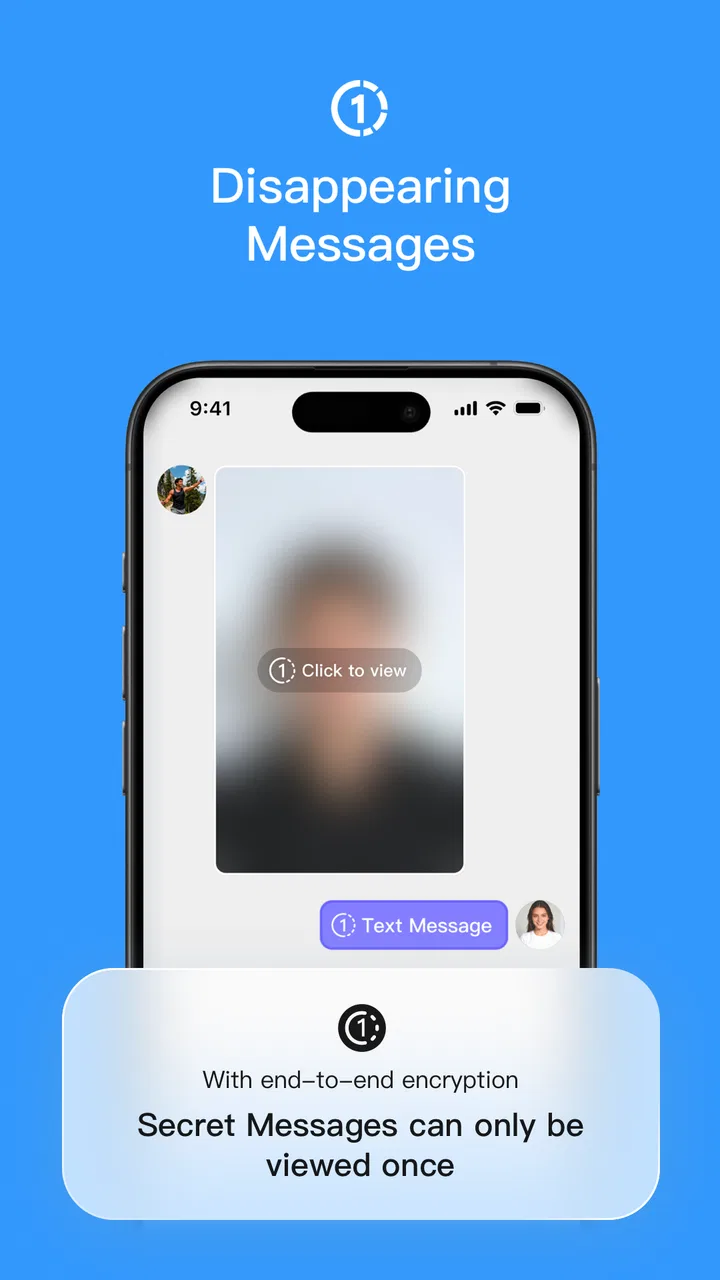
BFF Messenger - Private Chat prioritizes user privacy with end-to-end encryption, ensuring that only you and the person you're communicating with can read the messages. The app also includes features like self-destructing messages, password protection, and two-factor authentication, providing multiple layers of security to safeguard your conversations.
04Are there any costs associated with using BFF Messenger - Private Chat?
BFF Messenger - Private Chat is free to download and use. However, it may offer in-app purchases for premium features or additional functionalities. It's advisable to review any costs associated with these features before making a purchase to ensure they fit your needs and budget.
05How can I troubleshoot issues with BFF Messenger - Private Chat?
If you encounter any issues with BFF Messenger - Private Chat, start by checking your internet connection and ensuring the app is updated to the latest version. For persistent problems, consult the app’s help section or FAQ within the app. You can also reach out to their support team via email or through their official website for personalized assistance.
Pros
- User-friendly interface with intuitive navigation.
- Strong encryption ensures message privacy.
- Customizable chat themes for personalization.
- Low data usage for efficient communication.
- Quick setup and easy account creation.
Cons
- Limited integration with other social media apps.
- Occasional connectivity issues in low signal areas.
- Ads can be intrusive during app use.
- Some features locked behind paywall.
- No video call support available.

BFF Messenger - Private Chat
Gallery